
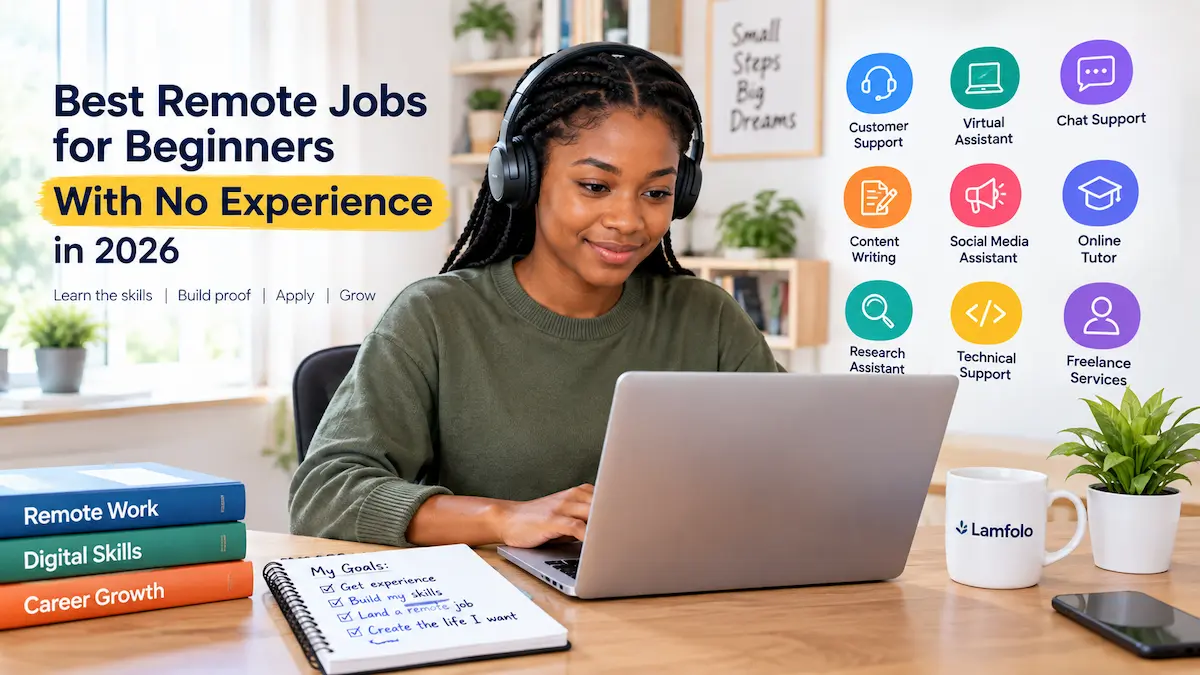
Finding a remote job without previous professional experience can be challenging, but it does not mean you have to wait years before you can work remotely. Many entry-level opportunities focus more on communication, organization, reliability, basic digital skills, and a willingness to learn than on having a long employment history.
The important thing to understand is that “no experience” does not mean “no skills.” Employers still need evidence that you can communicate clearly, complete tasks accurately, manage your time, use basic digital tools, and work responsibly without constant supervision.
This guide explains some of the best remote jobs for beginners with no experience in 2026, what each role involves, the skills you need, how to prove your ability, where to look for opportunities, and mistakes to avoid during your search.
Rather than ranking jobs as “easy” or promising a particular salary, this guide focuses on what a beginner can realistically do to become employable.
What Does “No Experience” Really Mean?
When an employer says a position is entry-level, it does not always mean that the successful applicant can have absolutely no relevant experience.
Experience can come from many places.
For example, you may have developed useful skills through:
- school or university projects
- volunteering
- internships
- helping a family business
- freelancing
- community activities
- personal projects
- student organizations
- church or nonprofit activities
- running a social media page
- creating websites or graphics for yourself
- managing personal or community events
For example, someone who has never worked as a virtual assistant may still have relevant experience if they have organized meetings, managed email, prepared documents, maintained spreadsheets, or scheduled activities.
The goal is therefore not to pretend you have experience you do not have. Instead, identify transferable skills and show evidence of them.
Best Remote Jobs for Beginners With No Experience
There is no single remote job that is best for everyone. Your best starting point depends on your communication skills, education, interests, equipment, internet access, location, and willingness to learn.
Here are ten realistic categories worth researching.
1. Customer Support Representative
Customer support is one of the clearest entry points into remote work for people with strong communication skills.
Customer support representatives may communicate with customers through:
- live chat
- phone
- help-desk systems
- social media
- support tickets
Typical responsibilities include answering questions, helping customers solve basic problems, documenting conversations, and directing complicated issues to the appropriate department.
Skills you need
You should be able to:
- communicate professionally
- listen carefully
- remain calm with difficult customers
- write clear messages
- follow instructions
- learn new software
- solve basic problems
How to demonstrate your ability
You do not need to wait until someone hires you before proving that you can communicate professionally.
Create three or four sample customer-service responses.
For example:
Customer:
“I paid for my order two weeks ago and still haven’t received it. Nobody has responded to my emails.”
Your response:
“Hello [Customer Name], I’m sorry for the delay. I understand how frustrating it can be when an order does not arrive as expected. I would be happy to help you check the status of the shipment. Please provide your order number so we can review the delivery information and determine the next step.”
Put several examples in a simple portfolio or document and link to it from your application.
That gives an employer something concrete to evaluate.
2. Virtual Assistant
Virtual assistants help individuals, entrepreneurs, or businesses with administrative and digital tasks.
Depending on the employer, duties may include:
- managing calendars
- organizing documents
- responding to routine emails
- researching information
- preparing spreadsheets
- scheduling appointments
- updating databases
- preparing simple reports
- organizing files
Skills you need
Learn basic tools such as:
- Google Docs
- Google Sheets
- Microsoft Word
- Microsoft Excel
- Google Calendar
- cloud storage
You do not need to master every business application before applying.
Start with the fundamentals and learn additional tools as needed.
How beginners can build experience
Create a small demonstration project.
For example, create:
Virtual Assistant Sample Portfolio
Include:
- a sample weekly calendar
- a sample spreadsheet
- a sample research report
- an example professional email
- a sample task-management board
This can demonstrate your organization skills even before you have a formal employment history.
3. Live Chat Support Agent
Live chat support is similar to customer service, but communication is primarily written.
A chat support agent may answer questions about:
- orders
- accounts
- subscriptions
- technical issues
- products
- payments
- appointments
Important skills
You need:
- fast and accurate typing
- professional writing
- patience
- good reading comprehension
- problem-solving ability
- attention to detail
One advantage of chat support is that strong written communication can sometimes be more important than having extensive employment experience.
How to prepare
Practice answering hypothetical customer questions.
Create a document containing:
Customer question → Your response → Why the response works
This can become a simple portfolio sample.
4. Content Writing
If you enjoy writing and researching information, beginner-level content writing can be another path into remote work.
Content writers may create:
- blog articles
- website pages
- product descriptions
- newsletters
- social media captions
- informational guides
However, simply saying “I am a good writer” is not enough.
You need samples.
Build a beginner writing portfolio
Write three original samples covering different subjects.
For example:
Sample 1:
A 1,000-word educational article
Sample 2:
A product or service description
Sample 3:
A practical how-to guide
Proofread everything before publishing it.
Avoid copying articles from other websites. Your portfolio should demonstrate your own research, organization, writing style, and ability to explain information clearly.
5. Social Media Assistant
Businesses often need help maintaining their social media presence.
A social media assistant may help with:
- scheduling posts
- writing captions
- responding to comments
- organizing content calendars
- basic graphic creation
- researching content ideas
- monitoring messages
- preparing simple performance reports
Skills to learn
Beginners should understand the basics of:
- content planning
- professional communication
- simple graphic design
- social media scheduling
- captions and calls to action
- basic analytics
Tools such as Canva and spreadsheet applications can be useful for creating and organizing content.
Build proof before applying
Choose a fictional business or a small real business you have permission to work with.
Create a seven-day sample content calendar.
Include:
| Day | Content idea | Caption | Format | Goal |
|---|---|---|---|---|
| Monday | Product introduction | Short promotional caption | Image | Awareness |
| Tuesday | Customer question | Educational answer | Carousel | Engagement |
| Wednesday | Behind the scenes | Short caption | Video | Engagement |
| Thursday | Helpful tip | Educational content | Image | Value |
| Friday | Product benefit | Promotional caption | Image | Conversion |
A sample like this is more convincing than simply listing “social media management” on your CV.
6. Online Tutor
Online tutoring can be an option for people who have strong knowledge of a subject and can explain concepts clearly.
Subjects may include:
- mathematics
- science
- English
- languages
- programming
- accounting
- music
- exam preparation
- other academic or practical subjects
Your qualifications and the platform or employer’s requirements will determine what you can teach.
What you need
You should be able to:
- explain concepts clearly
- prepare lessons
- communicate patiently
- use video-conferencing tools
- manage online sessions
- create basic learning materials
Create a sample lesson
Choose one topic and prepare:
Lesson objective
Explanation
Example
Practice questions
Answers
Short assessment
This creates evidence of your teaching ability.
7. Transcription
Transcription involves listening to recorded audio or video and converting spoken words into written text.
A transcription project might involve:
- interviews
- meetings
- podcasts
- research recordings
- educational content
- business discussions
Skills required
You need:
- accurate typing
- strong listening ability
- concentration
- good spelling and grammar
- attention to detail
Being a fast typist helps, but accuracy is equally important.
Before applying, practice with short audio recordings and compare your transcription against the original audio.
Also remember that some transcription opportunities have specific requirements involving language, subject knowledge, location, or equipment.
8. Data Research Assistant
Data research work can involve finding, checking, organizing, and presenting information.
For example, a client might ask you to research:
- companies
- products
- contact information
- competitors
- market information
- public records
- business websites
A beginner may start with relatively straightforward research tasks and gradually move into more advanced work.
Skills needed
You should learn:
- Google search techniques
- spreadsheet organization
- information verification
- data entry
- basic research methods
- attention to detail
Build a sample
Create a small research spreadsheet containing information about ten legitimate companies.
Use columns such as:
Company | Website | Industry | Location | Contact Page | Source | Notes
Make sure information is accurate and that the sources are clearly recorded.
9. Junior Technical Support
People with an interest in technology may consider entry-level technical support roles.
These jobs can involve helping users with common problems such as:
- password issues
- account access
- software installation
- basic configuration
- troubleshooting
- device setup
- application problems
Some employers provide training, while others expect candidates to already understand basic troubleshooting.
Skills to develop
Learn:
- operating-system basics
- browser troubleshooting
- password and account management
- basic networking concepts
- professional customer communication
- documenting technical problems
If you are already learning web development, programming, databases, or computer networking, technical support can also help you develop professional experience while building toward more advanced technology roles.
10. Entry-Level Freelance Services
Freelancing is different from traditional employment because you are generally offering a service to clients rather than joining a company’s permanent workforce.
Beginners may offer services such as:
- writing
- virtual assistance
- graphic design
- data research
- website updates
- social media assistance
- transcription
- basic video editing
- customer support
The biggest challenge is proving that you can deliver the service.
Don’t create a profile with only:
“I am hardworking and ready to work.”
Instead, show:
What you do
Who you help
What you can deliver
Examples of your work
How quickly you can complete typical tasks
Your first goal should be to build credible evidence, not simply to collect as many job applications as possible.
Remote Jobs for Beginners: Which One Should You Choose?
Instead of asking:
“Which remote job is easiest?”
ask:
“Which remote job matches the skills I can develop and demonstrate?”
Use this simple comparison:
| Remote Job | Useful Beginner Skills | Good Portfolio Evidence |
|---|---|---|
| Customer Support | Communication, patience | Sample customer responses |
| Virtual Assistant | Organization, administration | Calendar, spreadsheet, email samples |
| Chat Support | Writing, typing | Sample chat conversations |
| Content Writing | Writing, research | Published writing samples |
| Social Media Assistant | Writing, planning, basic design | Content calendar |
| Online Tutor | Subject knowledge, communication | Sample lesson |
| Transcription | Listening, typing | Transcription sample |
| Data Research | Research, spreadsheets | Research database |
| Technical Support | Troubleshooting, communication | Troubleshooting guides |
| Freelance Services | A specific marketable skill | Service portfolio |
This approach is more useful than ranking jobs because a role that is suitable for one person may not be suitable for another.
How to Get a Remote Job With No Experience
Finding a remote job becomes easier when you treat your search as a process rather than simply sending hundreds of applications.
Step 1: Choose One or Two Job Categories
Do not apply for every remote position you see.
Choose one or two areas that match your abilities.
For example:
Good communicator → customer support
Organized → virtual assistant
Strong writer → content writing
Creative → social media assistance
Good with technology → technical support
Strong in mathematics → online tutoring
Specializing makes it easier to build relevant skills and create a stronger CV.
Step 2: Learn the Basic Tools
After choosing a target role, identify the tools commonly associated with it.
For example:
Customer support
Learn ticketing systems, email communication, chat systems, and basic customer-service workflows.
Virtual assistance
Learn Google Workspace, Microsoft Office, calendars, spreadsheets, and file organization.
Content writing
Learn research, proofreading, document formatting, content structure, and basic search-engine optimization.
Social media
Learn content planning, simple design, scheduling, captions, and basic analytics.
Technical support
Learn troubleshooting, operating-system basics, browser issues, accounts, and basic networking.
You do not need to master everything at once.
Start with the skills that are most relevant to the type of job you want.
Step 3: Build a Small Portfolio
A portfolio is especially valuable when you don’t have much formal experience.
You don’t need 30 projects.
Start with three strong examples.
For a virtual assistant:
Spreadsheet + research report + sample email
For a writer:
Three original articles
For a social media assistant:
Content calendar + sample graphics + captions
For a developer:
Two or three completed projects
For customer support:
Sample customer conversations + troubleshooting responses
The objective is simple:
Show employers what you can actually do.
Step 4: Create a Professional Resume
Your professional resume should focus on the requirements of the job you are applying for.
Instead of writing:
“I have no experience but I am willing to learn.”
Show relevant evidence.
For example:
Customer Service Skills:
Developed sample customer-support responses demonstrating professional communication, issue identification, escalation, and problem-solving.
Or:
Virtual Assistant Project:
Created a sample administrative system using Google Sheets and Google Calendar to organize appointments, tasks, and client information.
Personal projects can demonstrate initiative and relevant skills without pretending they are paid employment.
Before applying, make sure your CV clearly presents your relevant skills and projects. Read our complete guide on how to write a professional resume
Step 5: Improve Your LinkedIn Profile
A basic LinkedIn profile can help present your professional identity online.
Make sure your profile has:
- a clear headline
- professional summary
- skills
- education
- projects
- relevant experience
- portfolio links
- professional contact information where appropriate
Instead of writing:
“Looking for any job.”
Be specific.
For example:
Entry-Level Customer Support | Customer Communication | Remote Work | Problem Solving
Your headline should tell people what type of work you are pursuing.
Your resume is only part of your online professional identity. Learn how to optimize your LinkedIn profile so your skills and experience are easier for recruiters to understand.
Step 6: Search in the Right Places
For remote jobs, start with legitimate sources such as:
- official company career pages
- reputable job boards
- established professional networks
- legitimate freelance marketplaces
- professional associations where relevant
When you find a vacancy on a third-party platform, consider checking the employer’s official careers page to see whether the opening can be independently verified.
That extra step is particularly important because scammers sometimes impersonate legitimate employers and advertise fake remote positions. The U.S. Federal Trade Commission warns that fake recruiters may use email, text messages, social media, and messaging apps to offer nonexistent work-from-home jobs. (Consumer Advice)
Step 7: Customize Your Applications
One of the biggest mistakes beginners make is sending exactly the same application for every job.
Read the job description carefully.
Identify:
What does the employer need?
Which of those skills do I have?
What evidence can I show?
Then adjust your resume and cover letter accordingly.
For example, if a customer-support job emphasizes email communication, problem-solving, and customer satisfaction, your application should clearly demonstrate those areas.
Step 8: Prepare for Remote Interviews
Remote interviews require the same professional preparation as other interviews, with additional attention to your technology and environment.
Before the interview:
- test your internet connection
- check your microphone
- test your camera
- charge your device
- choose a quiet location
- keep your resume nearby
- research the employer
- review the job description
- prepare questions
Practice answering common questions such as:
Tell me about yourself.
Why are you interested in this role?
How would you deal with an unhappy customer?
How do you organize your work?
Tell me about a time you solved a problem.
Use real examples from school, volunteer work, personal projects, internships, freelancing, or other legitimate experiences. After you begin receiving interviews, use our guide on how to prepare for remote job interviews to check your technology, environment and answers.
Common Mistakes Beginners Make When Looking for Remote Jobs
Applying for everything
Applying to hundreds of unrelated jobs can become exhausting and usually makes it harder to improve your applications.
Choose a direction and build evidence around it.
Having no portfolio
A beginner may not have employment experience, but there is usually something they can create.
Make sample work.
Exaggerating experience
Never invent previous employers, job titles, salaries, qualifications, or projects.
An employer may ask questions that expose the claim quickly.
Using the same resume for every role
A resume for customer support should not look exactly like a resume for content writing or technical support.
Adjust it to the job.
Focusing only on salary
A very high advertised salary does not automatically make an opportunity legitimate.
Research the employer, verify the job, understand the employment arrangement, and look at the actual responsibilities.
Ignoring location restrictions
“Remote” does not necessarily mean “work from anywhere in the world.”
A company may restrict a position to particular countries, states, or regions because of employment, tax, legal, time-zone, or operational requirements.
Always check the location requirements in the actual job advertisement.
How to Avoid Remote Job Scams
This deserves special attention because beginners are often targeted by fake work-from-home opportunities.
The Federal Trade Commission warns that scammers may promise easy work and attractive earnings while trying to obtain money or sensitive personal information. It recommends researching the company and recruiter, avoiding upfront payments, and being cautious with unexpected job offers. (Consumer Advice)
Be cautious when:
- someone guarantees you a job
- you are asked to pay before receiving employment
- you receive an unexpected job offer by text or messaging app
- the recruiter refuses to provide verifiable company information
- you are asked for sensitive financial information unusually early
- you are told to deposit a cheque and send money back
- the offer promises unusually high earnings for very little work
- you are pressured to act immediately
The FTC specifically warns against paying money to obtain a job and against fake-check schemes in which an apparent employer sends money and then asks the applicant to return part of it. (Consumer Advice)
How to verify an opportunity
Before applying or accepting an offer:
- Find the company’s official website.
- Locate its careers page independently.
- Check whether the vacancy exists there.
- Research the recruiter’s name and company affiliation.
- Check the email domain.
- Read the job description carefully.
- Never pay someone simply because they claim they can secure you a job.
When possible, communicate through contact information you independently obtained from the company’s official website rather than relying only on information supplied by an unexpected recruiter.
What Beginners Should Learn First
If you are starting from zero, don’t try to learn ten different skills simultaneously.
Choose one career direction.
For customer support
Focus on:
communication → customer service → problem-solving → support software
Customer support is one of the remote career paths beginners can explore. Our detailed guide explains how to get a remote customer support job.
For virtual assistance
Focus on:
Google Workspace → Microsoft Office → organization → research → communication
For writing
Focus on:
grammar → research → article structure → editing → basic SEO
For social media
Focus on:
content planning → copywriting → simple design → scheduling → analytics
For technical support
Focus on:
computer fundamentals → troubleshooting → networking basics → documentation
For technology careers
Focus on:
one programming language → projects → Git/GitHub → portfolio → applications
The key is depth.
Being reasonably good at one useful skill is generally more valuable than knowing a little about ten unrelated skills.
A Simple 30-Day Plan for Getting Started
You do not need to wait for the perfect opportunity before preparing.
Week 1: Choose Your Direction
Pick one target role.
Research the skills required.
Create a list of the five most important skills you need to develop.
Week 2: Build Your Skills
Spend time learning the tools and basic tasks associated with the role.
Practice every day.
Don’t focus only on watching tutorials. Perform actual tasks.
Week 3: Create Your Portfolio
Build two or three examples of your work.
Proofread them.
Put them somewhere an employer can easily view them.
Week 4: Start Applying
Update your resume.
Improve your LinkedIn profile.
Search legitimate job sources.
Customize applications.
Practice interviews.
Track every application in a spreadsheet.
For example:
| Company | Position | Date Applied | Application Link | Status | Follow-Up |
|---|---|---|---|---|---|
| Company A | Customer Support | Sept. 3 | Official careers page | Applied | Sept. 10 |
| Company B | Virtual Assistant | Sept. 5 | Job board | Interview | Sept. 9 |
| Company C | Chat Support | Sept. 7 | Official careers page | Pending | Sept. 14 |
Tracking your applications helps prevent missed deadlines and duplicate applications.
What If You Apply and Get Rejected?
Rejection is part of the job search.
Instead of applying repeatedly without changing anything, look for patterns.
Ask:
Am I applying for jobs that match my skills?
Does my resume clearly show relevant abilities?
Do I have enough portfolio evidence?
Am I applying for positions that accept candidates in my location?
Am I customizing my application?
Do I perform well during interviews?
Your first goal is not necessarily to find the perfect remote job immediately.
Your first goal is to build a combination of:
skill + evidence + professional presentation + application experience.
Once you have those four elements, you can continue moving toward better opportunities.
Remote Work From Nigeria and Other Countries
If you live outside the country where the employer is based, pay particular attention to location and eligibility requirements.
A job being described as “remote” does not automatically mean that the employer can hire someone in every country.
Before applying, check whether the position:
- accepts applicants from your country
- requires local work authorization
- is employee or contractor based
- has working-hour requirements
- requires a particular time zone
- specifies where the worker must live
This is particularly important for international applicants.
Don’t assume that a remote position automatically includes visa sponsorship, relocation, or the right to work in another country.
How Beginners Can Move From Entry-Level to Higher-Paying Remote Work
Your first remote role does not have to be your final career destination.
For example:
Customer Support → Senior Support → Customer Success → Support Management
Virtual Assistant → Executive Assistant → Operations Assistant → Operations Manager
Content Writer → SEO Writer → Content Strategist → Content Manager
Technical Support → IT Support → System Administration → Cloud/IT specialization
Junior Developer → Developer → Full-Stack Developer → Senior Developer
Think of your first job as a starting point for acquiring:
- professional experience
- communication skills
- industry knowledge
- references
- measurable achievements
- stronger portfolio projects
Then use that experience to qualify for better opportunities.
Frequently Asked Questions
Can I really get a remote job with no experience?
Yes, but “no experience” should not mean “no preparation.” You still need skills that match the role and some way to demonstrate those skills.
Personal projects, volunteer work, school projects, freelance work, and carefully prepared portfolio samples can all help demonstrate relevant ability.
What is the easiest remote job to get?
There is no universally easiest remote job.
The better question is which role matches your existing abilities and which skill you can develop enough to demonstrate convincingly.
Do I need a university degree for remote work?
Not necessarily.
Some positions require specific educational qualifications, while others place more emphasis on practical skills and experience. Always check the requirements of the individual position.
Can I get a remote job from Nigeria?
Some international employers accept applicants from Nigeria, while others restrict remote positions to particular countries or regions.
Always check the location requirements before applying.
Do remote jobs require a laptop?
Many professional remote jobs require a computer, although requirements vary by role.
Customer support, writing, virtual assistance, programming, design, research, and administrative roles commonly involve computer-based work.
Check the employer’s equipment requirements before applying.
Should I pay someone to get me a remote job?
Be extremely careful.
You should not pay someone simply because they promise to secure employment for you. The FTC specifically warns that legitimate employers do not require applicants to pay money in order to obtain a job. (Consumer Advice)
How can I get remote experience if nobody will hire me?
Create your own evidence.
Build portfolio projects, volunteer for legitimate organizations, take on small freelance assignments, help a small business with permission, or create realistic practice projects.
The goal is to demonstrate the skills the employer needs.
Should I apply for many remote jobs every day?
Quantity alone is not the best strategy.
A smaller number of relevant, customized applications can be more useful than sending the same application to dozens of unrelated jobs.
Are remote data-entry jobs legitimate?
Some legitimate data-entry work exists, but data-entry and work-from-home offers are also commonly used in scams. Be especially cautious about unexpected messages, unrealistic earnings, upfront fees, and requests for sensitive information. (Consumer Advice)
What should I put on my CV when I have no experience?
Focus on relevant skills, projects, education, certifications where relevant, volunteer work, internships, and measurable achievements.
Don’t invent employment history.
Instead of saying:
“No experience.”
Show the work you have actually completed.
Final Thoughts
Getting your first remote job may take time, especially when you are competing with applicants who already have professional experience.
The strongest approach is to stop thinking only about the question:
“Who will hire me without experience?”
and start asking:
“What can I learn, build, and demonstrate so an employer can see that I can do the work?”
Choose one career direction.
Learn the relevant skills.
Create practical examples.
Build a professional resume.
Search legitimate opportunities.
Customize your applications.
Prepare for interviews.
And verify every employer before sharing sensitive information or accepting an offer.
You do not need to know everything before starting. You need a clear direction, useful skills, evidence of your ability, and the discipline to keep improving.
For more practical career guides, CV advice, scholarships, and legitimate job opportunities, explore the relevant sections of Lamfolo and always verify important job details on the employer’s official website.

Written by Mr Upright, a software developer and data analyst sharing structured insights on international remote roles and educational opportunities.