
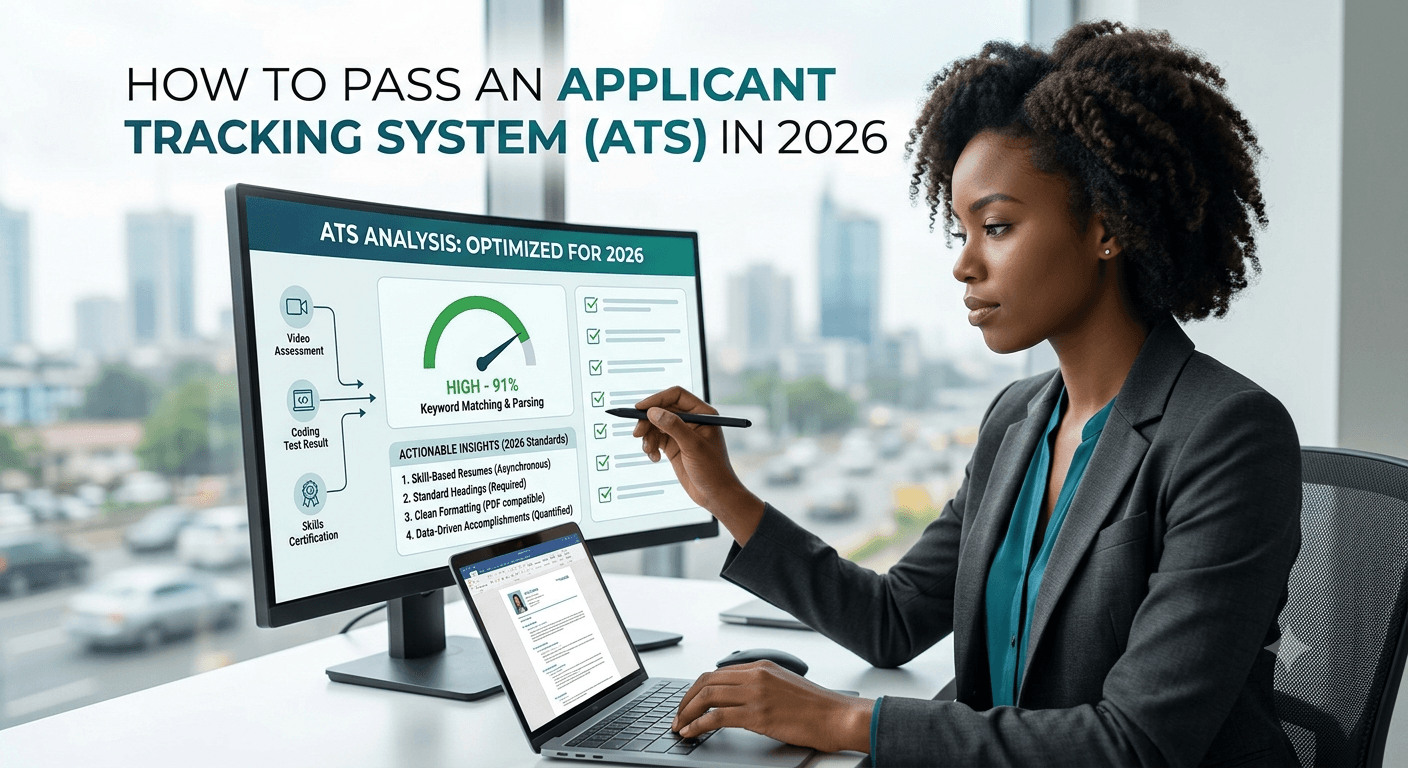
Many employers use applicant tracking systems to organize and manage job applications. Because screening practices vary between employers and software, a clear, relevant and well-formatted resume can make it easier for both screening systems and recruiters to process your application. An Applicant Tracking System (ATS) is used to screen them first. Even if you are extremely qualified, your resume may be immediately rejected if it is not tailored for the applicant tracking system.
How to pass an Applicant Tracking System in 2026 is explained in detail in this comprehensive tutorial. You will discover how contemporary applicant tracking software operates, the best formatting and keyword techniques, typical errors that lead to rejection, and doable actions to make your resume both ATS-friendly and readable by human readers.
What Is an Applicant Tracking System (ATS)?
Software used by businesses to gather, organize, and prioritize employment applications is called an applicant tracking system. Workday, Greenhouse, Lever, Taleo, iCIMS, SmartRecruiters, and BambooHR are among of the popular systems in 2026.
Your resume is scanned by the applicant tracking system (ATS) for pertinent keywords, skills, education, experience, and other requirements specified by the company. After that, it rates applicants and eliminates those who don’t fit the parameters. Recruiters often just analyze the resumes with the highest scores.
In 2026, many ATS platforms use advanced AI and natural language processing. They can understand context better than older systems, but they still struggle with complex formatting, graphics, tables, and unusual layouts.
Why Passing the ATS Matters More Than Ever in 2026
- Many employers use applicant tracking systems to help organize and manage applications, but the exact screening process varies by employer and software.
- Recruiters often receive hundreds of applications for a single role.
- A poorly optimized resume can score low even if the candidate is an excellent fit.
- A resume that is clearly formatted and relevant to the job description is easier for both applicant-tracking software and recruiters to process.
Step-by-Step Guide: How to Pass an ATS in 2026
1. Use a Clean, Simple Resume Format
ATS software reads text in a linear way. Complex designs confuse it.
Best practices:
- Use a single-column layout
- Stick to standard fonts (Arial, Calibri, Times New Roman, or Helvetica) in 10–12 pt size
- Avoid headers, footers, text boxes, tables, columns, graphics, icons, and images
- Use standard section headings: Professional Summary, Work Experience, Education, Skills, Certifications
- Save and upload your resume as a .docx (Word) file when possible — many ATS systems still parse Word better than PDF
- If a PDF is required, ensure it is text-based (not a scanned image)
2. Mirror Keywords from the Job Description
Matching your resume to the genuine requirements and terminology of the job can help make your application more relevant to the role.
- Copy the job description into a document
- Identify repeated skills, tools, qualifications, and action verbs
- Naturally incorporate the exact keywords and phrases into your resume (especially in the Skills section and Work Experience bullet points)
- Include both the full term and common abbreviations (e.g., “Search Engine Optimization (SEO)” and “Search Engine Optimization”)
- Do not keyword-stuff — the language must read naturally
Modern ATS systems in 2026 can detect over-optimization, so balance is essential.
3. Optimize Your Professional Summary
Write a short 3–5 line summary at the top that includes your job title, years of experience, and 4–6 key skills from the job description.
Example structure:
“Results-driven Digital Marketing Manager with 6+ years of experience in SEO, content strategy, Google Analytics, and paid social campaigns. Proven track record of increasing organic traffic by 150% and managing multi-channel budgets.”
4. Use Standard Section Headings
ATS systems look for familiar headings. Avoid creative titles such as “My Journey” or “Where I’ve Made an Impact.”
Recommended headings:
- Professional Summary or Summary
- Work Experience or Professional Experience
- Education
- Skills
- Certifications
- Projects (if relevant)
5. Format Work Experience Correctly
For each role, include:
- Job title
- Company name
- Location (City, Country)
- Dates of employment (Month Year – Month Year)
- 4–7 bullet points that start with strong action verbs and include quantifiable results + keywords
Example:
• Developed and executed SEO strategies that increased organic traffic by 180% within 12 months using Google Analytics, Ahrefs, and on-page optimization techniques.
6. Create a Strong Skills Section
List both hard skills and tools exactly as they appear in the job description. Group them logically (Technical Skills, Software, Languages, etc.).
Place the most important keywords near the top of the Skills section.
7. Include Education and Certifications Properly
List degrees with the full name of the institution, degree title, and graduation year. Add relevant certifications with the issuing organization.
8. Test Your Resume Before Submitting
Use free or paid ATS resume checkers (such as Jobscan, Resume Worded, or similar tools available in 2026) to compare your resume against the job description. Aim for a match rate of 70% or higher.
Common ATS Mistakes That Cause Rejection in 2026
- Using tables, text boxes, or multi-column designs
- Submitting image-based or scanned PDFs
- Missing critical keywords from the job description
- Using graphics, logos, or skill bars
- Creative section headings
- Inconsistent date formats
- Spelling errors or unusual abbreviations
- Overly long resumes (keep most resumes to 1–2 pages)
Additional Tips for Higher Success Rates
- Tailor your resume for every single application
- Use the same job title as the one in the posting when accurate
- Include both hard and soft skills when relevant
- Keep formatting consistent throughout the document
- Update your LinkedIn profile to match your resume (many ATS systems also pull LinkedIn data)
- Follow application instructions exactly (some systems reject incomplete forms)
Final Checklist Before You Hit Submit
- Simple, single-column format
- Standard fonts and headings
- Keywords from the job description included naturally
- Quantified achievements in bullet points
- Correct file type (.docx preferred)
- No spelling or grammar errors
- Tested with an ATS checker
- Tailored to the specific role
Conclusion
It’s not about manipulating the program to pass an Applicant Tracking System in 2026; rather, it’s about making your qualifications understandable to both people and robots. Your chances of getting to the recruiter’s desk will be greatly increased with a clear structure, smart keyword usage, and customized content.
Start by comparing your present CV to the aforementioned recommendations. After that, modify it for every job you apply for. Applying these guidelines consistently will increase your response rate and help you get more interviews.
For more career and job search resources, explore other guides on Lamfolo.

Written by Mr Upright, a software developer and data analyst sharing structured insights on international remote roles and educational opportunities.