
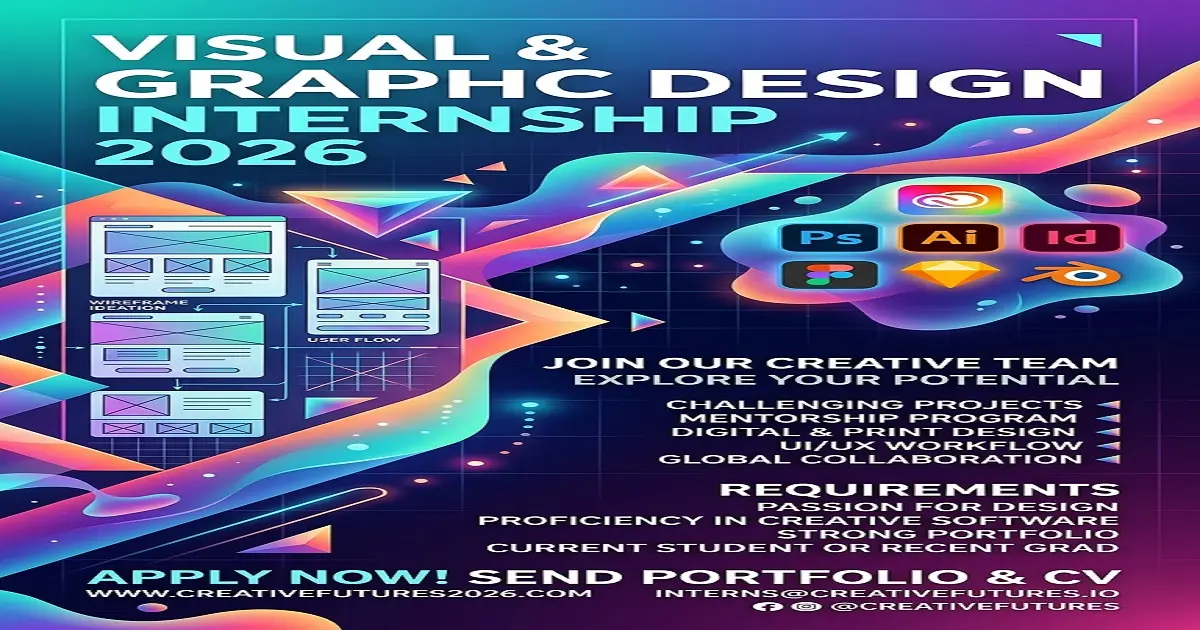
Last reviewed: 25 September 2026
A remote graphic design internship is one of the most straightforward methods to convert practice work into proof. You don’t need a full-time junior title just yet. You will need a modest collection of examples, a serious attitude, and a strategy for discovering teams that truly educate.
This post will show how to acquire a remote graphic design internship in 2026. It discusses what internships are like, how to create a starter portfolio, how to apply, how to manage testing, and how to avoid unpaid employment that teaches you nothing.
Internship terms vary by employer and country. Read the official list. Do not pay anyone who claims they can sell you a placement.
This is for internships. If you already have paid design work and want a junior job, use How to Get a Remote Junior Graphic Designer Job in 2026.
What a Remote Design Internship Is
An internship is a short training role. You produce work, but you should also receive briefs, feedback, and a chance to improve.
In a remote graphic design internship you may:
- Design social posts from a template
- Resize ads
- Help with presentations
- Clean up files
- Watch a senior designer work
- Revise drafts after comments
- Learn how a real brand folder is organized
You are not the art director. If a company expects you to build a full identity, run ads, and manage clients alone from week one, that is not training. That is unpaid labor with a nicer name.
Common internship titles
- Graphic design intern
- Visual design intern
- Social media design intern
- Marketing design intern
- Brand design intern
- Creative intern
The title matters less than the list of tasks and the name of the person who will review your work.
Who Should Apply
This path is for you if:
- You are a student or recent beginner
- You can use Canva, Figma, Photoshop, or Illustrator
- You have a few samples, even if they are personal projects
- You want feedback, not only money
- You can work some hours each week from home
It is not the best path if you already have two years of paid design work. In that case, apply for a junior role.
It is also not a good path if you want a senior salary from an internship. Intern pay, when it exists, is usually lower because the company is still teaching you.
Paid, Unpaid, and “Exposure”
In 2026, some internships pay. Some offer a stipend. Some offer only a certificate.
A paid internship is better when you can get one. An unpaid internship can still help if:
- The work is real
- Someone reviews your files
- You can show the work in your portfolio
- The hours are limited
- You are not doing the job of a full-time designer for free
Walk away if the company wants 40 hours a week, no mentor, no feedback, and no permission to show the work. That is not an internship.
Never pay a training centre or “agent” to give you an internship unless you are buying a clear course with a known school. Paying to be hired is a warning sign.
Skills You Need Before You Apply
You do not need to know every tool.
You do need:
- One main tool you can use without panic
- Basic layout sense
- The ability to follow a size and deadline
- Polite written English
- A folder system for drafts and finals
A beginner tool set
Choose a small stack:
- Figma for templates and collaboration
- Photoshop for images
- Canva for speed
- Illustrator if you want logos
For internships, Figma plus Canva is enough if your samples look clean.
What “clean” means
- Text can be read on a phone
- Margins are even
- The logo is not stretched
- There are not six fonts
- The export is sharp
Taste can grow during the internship. Sloppy files make it hard to get accepted.
Step 1: Decide the Kind of Internship You Want
Pick one direction:
- Social media design
- Brand support
- Presentation design
- YouTube and thumbnail design
- Junior UI support
Social media internships are the most common remote openings. They also give you work you can finish in a week, which is useful when you are still learning.
Put that direction in your headline, portfolio, and message. Do not say you are an expert in packaging, motion, 3D, and product design if your folder only has flyers.
Step 2: Build an Internship Portfolio, Not a Museum
Interns get hired from a small, neat set of samples.
Aim for 6 to 10 pieces.
Include:
- One set of 5 to 7 social posts
- Two stories
- Two thumbnails
- One flyer
- One before-and-after
- One simple brand board
That is enough.
How to present each piece
Write four lines:
- What it is
- Who it was for, even if it is a personal project
- The goal
- The tool you used
Example:
“Personal project: 7-day content kit for a small bakery. Goal: make the page look consistent. Designed in Figma for mobile first.”
If the project is practice work, say so. Honesty looks better than a fake client list.
Host the work where a stranger can open it
Behance, Notion, a PDF, or a public Drive link all work. The link must not ask for permission.
Step 3: Create Samples If You Have No Internship Yet
You can make work before anyone hires you.
Useful briefs:
- Redesign three posts for a local shop
- Make thumbnails for education or career videos
- Design a starter kit for a fictional brand
- Turn a crowded poster into a readable one
- Build a simple carousel that explains one idea
Do not copy another designer’s work and call it yours. Use it as study, then make a new version.
Step 4: Write a Resume That Looks Trainable
Keep it to one page.
Headline:
Graphic Design Intern | Social Media and Visual Content | Remote
Include:
- Education
- Tools
- Projects
- Any volunteer or campus design
- Languages
- Time zone
Weak line:
I am creative and passionate about design.
Better line:
Created 8 social templates and 4 stories for a campus page, revised them after feedback, and exported post and story sizes.
Hiring managers for internships look for people they can train. Show that you finish things.
Step 5: Write a Short Application Note
Intern applications die when the message is long and empty.
Use this shape:
“I am applying for the remote graphic design internship. My portfolio focuses on social content and simple brand work. The bakery content kit shows how I keep layouts consistent and readable on mobile. I can work [X] hours a week and take feedback quickly.”
Add the portfolio link. Stop there.
If the company uses a form, paste the same idea into the cover box.
Step 6: Where to Find Remote Design Internships
Look in more than one place:
- LinkedIn internships
- Company career pages
- Startup hiring posts
- Design community boards
- University or training partner pages
- Direct messages to small businesses that need design help
Small teams can be a good first internship if someone has time to reply to your work. A famous brand with no mentor can be worse.
A smart outreach method
Find a company whose graphics look inconsistent. Make two respectful sample posts in their colors. Send them with a short note.
Do not demand a job. Offer a short trial with a clear hour limit.
Avoid fake internships
Leave if they ask you to:
- Pay for the placement
- Do a full brand book as an unpaid “test”
- Send money for software they will “provide”
- Work full-time hours with no supervisor
- Sign away every sample you create with no learning in return
Step 7: Design Tests for Interns
A fair test is small.
Fair:
- One post and one story
- A thumbnail
- A simple flyer
- 24 to 48 hours
Unfair:
- 20-page brand guide
- Whole website
- A week of unpaid client work
If the test is huge, you can send one strong sample and explain your process. You do not have to donate a campaign.
How to handle the test
- Confirm the size and message
- Ask one or two questions if the brief is thin
- Make two options if time allows
- Export correctly
- Write three sentences about why you chose the layout
That last note makes you look easier to teach.
Step 8: Interview Questions Interns Should Prepare
Expect:
- Why design?
- Walk me through one project.
- How do you take feedback?
- What tools do you use?
- How many hours can you give each week?
- What do you want to learn here?
- Have you worked remotely before?
A good answer is specific.
“I want this internship because your team posts weekly and uses a simple brand style. I want practice with real briefs and faster revisions. I can give 15 hours a week and I already work in Figma.”
Do not say you have nothing to learn. Do not say you already know everything.
Add this section to the article. Place it after Skills You Need Before You Apply.
Specific Software Recommendations for 2026
You do not need every design app. For a remote graphic design internship in 2026, learn a small stack and get fast at it.
Start with these first
1. Figma
Best first paid-team tool for internships. Use it for social templates, simple brand boards, presentations, and junior UI work. Many remote teams share Figma files, so this is the most useful collaboration tool to learn.
2. Canva
Best for speed. Use it for social posts, stories, simple flyers, and YouTube thumbnails when the team needs content fast. Canva is not enough on its own for every internship, but it helps beginners build samples quickly.
3. Adobe Photoshop
Best for image editing, ads, posters, and thumbnails that need more control than Canva. Learn cropping, layers, type, export sizes, and basic retouching.
Add these if you have time
4. Adobe Illustrator
Use this if the internship includes logos, icons, or vector work. Do not start here if you still struggle with layout.
5. CapCut or Adobe Premiere Rush
Use one of these for simple motion: animated posts, short promo clips, and talking-head captions. Many 2026 social internships want light video skill, not full film editing.
6. Google Drive or Dropbox
This matters as much as design software. Interns lose trust when files are missing. Learn clear folder names: Drafts, Revisions, Finals, and Exports.
7. Notion or Trello
Useful for remote work. Teams use these to post briefs, deadlines, and comments.
A simple 2026 stack by internship type
- Social media intern: Figma + Canva + CapCut
- Brand intern: Figma + Illustrator + Photoshop
- Thumbnail and content intern: Photoshop + Canva + CapCut
- Presentation intern: Figma + Canva + Google Slides or PowerPoint
What you can skip for now
Do not spend internship-prep time on Blender, After Effects, Cinema 4D, or advanced UI systems unless the listing asks for them. Those tools can come later.
Free or lower-cost options
If Adobe is too expensive at first:
- Figma for layout and templates
- Photopea as a browser-based Photoshop alternative
- Canva Free for basic samples
- CapCut for simple video
When you apply, list only the software you can actually use in a test.
How to Work Remotely During the Internship
Treat it like a job, even if it is short.
- Reply the same day
- Name your files clearly
- Keep drafts and finals in separate folders
- Ask questions early
- Meet the deadline you agreed
- Write a weekly update: what you did, what is next, what is blocked
This is how internships turn into junior offers.
If you vanish for four days, the team will not extend the placement.
What You Should Get From the Internship
By the end you should have:
- 5 to 10 stronger portfolio pieces
- Notes on how a real team briefs work
- Practice taking revision requests
- A referee if you did well
- A clearer lane for junior jobs
Ask early whether you can show the work. If the answer is no, ask whether you can make a similar personal version with different text.
A 30-Day Plan to Get Selected
Days 1–7
Choose a lane. Make four samples. Write project captions.
Days 8–14
Finish 6 to 10 pieces. Upload the portfolio. Rewrite the resume.
Days 15–21
Apply to internships. Send five short outreach notes with two relevant samples.
Days 22–30
Do tests. Practice interview answers. Replace the weakest sample.
The goal is selection, not 100 empty applications.
Mistakes That Block Interns
- A portfolio with no explanation
- Low-quality screenshots
- Applying for senior roles only
- Saying you can do every design specialism
- Missing the test deadline
- Arguing with the first comment
- Paying for a fake placement
- Using a Drive link nobody can open
If You Are Applying From Another Country
Say the practical facts.
- Time zone
- Hours you can work
- Tools you have
- Internet setup
- Whether you need pay, school credit, or both
Some internships can take international remote interns. Some cannot. Read the eligibility line. Do not force a process that is closed.
A remote internship is also not automatically a UK or US visa. Do not treat it as a relocation promise.
Related Career Guides
These guides support the rest of your application:
- How to Get a Remote Junior Graphic Designer Job in 2026
- How to Write a Professional Resume in 2026
- How to Write a Cover Letter That Gets You Interviews in 2026
- LinkedIn Profile Optimization Guide 2026
- How to Prepare for Remote Job Interviews in 2026
- Best Remote Jobs for Beginners with No Experience in 2026
Final Checklist
- I have 6 to 10 clean samples
- The portfolio opens without permission
- My headline matches a remote graphic design internship
- I can explain one project in one minute
- I know how many hours I can give
- I will not pay to be selected
- I understand this is a training role, not a senior job
Closing
Getting a remote graphic design internship in 2026 requires seeming trainable. Show a tiny body of readable work, apply to teams that provide comments, and regard each brief as practice for a junior position.
Begin with one finished example today. Put it in the public folder. Send it with a brief message to one legitimate opening. That’s how internships begin.

Written by Mr Upright, a software developer and data analyst sharing structured insights on international remote roles and educational opportunities.